


 |
 |
 |
 |
 |
 |
 |

 |
|||
|
|||

Equipment
After extensive training your Team America are ready for the field.
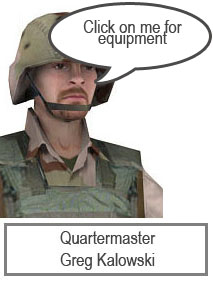
The General is keen that they are properly equipped for the job so it's up to you to find the quartermaster and strike a deal.
The General often says " Money often costs too much" so make sure you keep a record of what you spend.
It's up to you how to equip your team (4 members) - just make sure it's as close to the £10,000 budget as you can
A spreadsheet in Microsoft Excel is the way forward here, use the items on this page to get your information - make sure that you include :
- Equipment item name
- Item cost
- Number of items required
- Total for each item
- Grand total
- Labeled images of chosen equipment
- A chart that summarises what you have spent
- A clear printout with a footer
If you want to get fancy you can have a go at scrollbars to control the number of items column.
Do some more:
The general likes macros because they save him lots of clicks,
- What are macros ?
- How do you make a macro ?
- What macros could you include in your spreadsheet.
The IF function can be used to tell you if your Grand Total is within the £10,000 budget, have a go by choosing :
- >Insert
- >Function
- >Logical
- >IF
Validation is making sure that your data is acceptable :
- What types of validation are there ?
- What number range should you allow for the number of items column ?
- Have a go at validation by selecting a range and then choosing :
- > Data
- > Validation
